AppleCare Expired? We Still Offer Mac Support!
Introduction
When the manufacturer's warranty expires one year after purchasing a new Apple product, or when your AppleCare+ subscription ends, device damage can be really frustrating. After that, there are no more support benefits and no more discounted repairs for your Apple device.
If the manufacturer no longer covers your Mac, we can help. Here at Sadaghian, you get a free error analysis and repairs at fair prices.

Which Devices Can We Repair?
In principle, you can get support for all Mac models from us – current ones as well as older models and vintage Macs.
Here's an overview of all Mac types we accept:
Older models and vintage Macs are welcome too – which models we currently accept is listed in the FAQ on our homepage.
The Difference Between Warranty and Consumer Guarantee
After purchase, Apple grants a one-year warranty on devices like Mac, iMac and MacBook, during which you can use Apple repair. Since the warranty period is not legally prescribed, the manufacturer can choose a short timeframe. Consumer guarantee, on the other hand, is provided for two years by the retailer where you made your purchase.
If you buy directly from Apple, you can also claim the consumer guarantee there. Since January 1, 2022, the retailer bears the burden of proof for the first 12 months (§ 477 BGB). Only after that is it up to you as the customer to demonstrate that the defect already existed at the time of purchase.
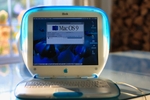
Info in Settings: How Long Is My Mac Under Warranty?
By the way, you can check on your Apple Mac how long the warranty is still valid after purchase. If you've forgotten the exact purchase date, this is the easiest way to check when the warranty period ends.
Open the Apple menu, which is accessed with the Apple logo at the top left of the menu bar. There you select "About This Mac". From macOS 13 Ventura onwards, continue with the "More Info..." button. This leads to the info overview in System Settings, where the date you're looking for is in the "Coverage" or "Limited Warranty" section. Or it will show "Coverage expired".
In current macOS versions, coverage also has its own entry: Apple menu → System Settings → General → "AppleCare & Warranty". Select your Mac there to see whether and until when it is covered.
Check Warranty and Support Period Online: Apple Account or Serial Number
If your Mac won't turn on and you therefore can't check the end of the warranty period in the settings, there are two other options:
Either sign in with your Apple Account (formerly Apple ID) on the website Apple Support Portal and select the device to view its coverage details there. Or visit the website Apple Warranty Check and enter your Mac's serial number (usually printed on the underside of the Mac near the regulatory marks and on the original packaging next to the barcode label; a running Mac shows it under "About This Mac").
Since this is unique and thus clearly assigned to the Mac, Apple can determine the purchase date and thus the warranty period for the device. They will then be displayed on the website.
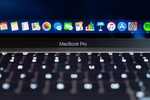
Apple Mac Support and Repair at Sadaghian in Hamburg
If your Mac is no longer covered by Apple support, we at Sadaghian offer inspection and appropriate repair or parts replacement. We also help make your Mac a bit faster when possible, for example by replacing the old hard drive (HDD) with a modern SSD.
We also take care of data recovery as well as standard component replacement. However, we don't replace everything across the board, but first check for repair of individual components, so the necessary measure can be significantly cheaper. Contact Sadaghian with this link; create the free DHL shipping label directly on emonis.
Selected Services of the Sadaghian Workshop
- Shipping with DHL: Free shipping of the Mac, and free return shipping
- Free inspection and cost estimate
- Repair of all Mac models: Offers for Mac, iMac and MacBook as well as their individual versions
- Water damage repair
- Replacement service on various models: Repair or replacement of hard drive, battery, display, trackpad, cables, logicboard, fans, speakers, graphics elements and more
- Upgrading the Mac: Modern SSDs and more RAM for older Intel MacBooks (up to late 2015); on Apple Silicon Macs storage and RAM are soldered
- Data recovery: Recovery of data from hard drives of defective Macs as well as data recovery from unrecognized storage
- Vintage Mac Repair: Older models and vintage Macs are welcome too. Here's the overview of supported models
Frequently Asked Questions About Mac Repairs After Warranty Expiration
Which Mac models can you repair?
We repair all Mac models: iMac, MacBook, MacBook Pro, MacBook Air, Mac Pro, Mac Studio and Mac mini, as well as older models and vintage Macs.
What's the difference between warranty and consumer guarantee?
Apple grants a one-year voluntary manufacturer warranty on new devices. The statutory consumer guarantee (Gewährleistung) is two years and is provided by the retailer (§ 437 BGB). Since January 1, 2022, the retailer bears the burden of proof for the first 12 months; after that, the burden shifts to the customer (§ 477 BGB).
How can I check online if my Mac still has warranty?
You can either sign in with your Apple Account (formerly Apple ID) at mysupport.apple.com to view device details or enter your Mac's serial number at checkcoverage.apple.com.
What services does Sadaghian offer for Macs without warranty?
We offer free DHL shipping, free inspection, repair of all Mac models, water damage repair, replacement service, upgrades and data recovery.
Is there an alternative to Apple's repair service?
Yes. Independent workshops specializing in Apple devices repair Macs regardless of manufacturer support – including models Apple no longer services (vintage/obsolete). The key difference is the method: instead of swapping whole assemblies, repairs happen at component level. Our error analysis is free; you then decide based on a fixed quote.
What's the difference between manufacturer service and an independent workshop?
Manufacturer service usually swaps complete assemblies – the whole logicboard or the entire display unit. An independent workshop can work at component level: only the defective part is replaced. That is usually cheaper, and since the SSD on modern Macs is soldered onto the logicboard, your system and data survive. Within warranty or the statutory consumer guarantee, the manufacturer or retailer repairs for free – use that first. See our MacBook repair cost guide for a price overview.
Is a 10-year-old Mac too old?
Not for a repair: we repair MacBooks back to the first Intel generations, iBooks and PowerBooks too, and iMacs from the G3 on; spare parts are usually in stock. A Mac is only too old once it no longer gets security updates and the software you need stops running – that is a usage question, not a repair question. Whether a repair is worth it is settled by the free analysis.